Dont Splash For Eggs Controls on Every Platform
Squat, jump, and camera tips for Desktop, Mobile, Tablet, and Console players.
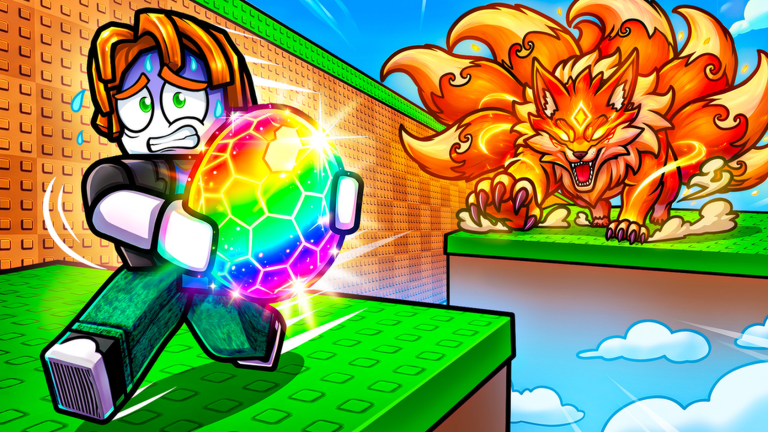
Supported platforms
Dont Splash For Eggs officially supports Desktop, Mobile, Tablet, and Console. The loop is the same everywhere - squat for strength, jump dry platforms, steal eggs, hatch pets - but the inputs feel different. This guide maps the habits that transfer so you do not splash a nest because the camera was wrong.
Brand-new? Continue with Getting Started after you can squat and jump confidently.
Universal actions
Regardless of device, you need fluency in:
- Move between pads and base
- Jump across gaps without clipping water
- Squat / train to raise jump power
- Interact with eggs, hatch UI, pedestals, upgrades, rebirth menu
- Camera control for landing previews
Roblox default move/jump bindings apply unless you rebound them in Roblox settings. The game-specific emphasis is the squat training action called out in the official description - find its on-screen button or key prompt in your HUD on first join and practice it in a safe area.
Desktop (keyboard + mouse)
Strengths: precise camera, easy menu clicking, comfortable long squat sessions.
Tips:
- Keep mouse sensitivity high enough to flick toward landing pads mid-air, not so high that you over-rotate off thin planks
- Hold a consistent finger posture for jump vs squat so you do not misclick train during an extract
- Use shift-lock or first/third person - whichever keeps water edges readable for you
- Click hatch/place UIs deliberately; misclicks during Nightfall waste the pulse (Nightfall luck)
Desktop is ideal for deep biome learning and for recording personal route notes.
Mobile and tablet (touch)
Strengths: play anywhere; weaknesses: thumb occlusion and jump timing.
Tips:
- Raise brightness so water edges contrast against pads
- Use a grip that keeps the jump thumb free during camera drags
- Avoid standing on pad lips - touch drift is real
- Take earlier travel starts before Nightfall; menus are slower on small screens
- Consider a tablet landscape session for contested Sakura nests if your phone feels cramped
If jumps feel mushy, check Roblox touch sensitivity and close background apps that cause frame dips mid-air.
Console (controller)
Strengths: stable frame aim with sticks; weaknesses: slower precise UI compared to mouse.
Tips:
- Nudge the camera with small right-stick adjustments before each commit jump
- Map or memorize which face button triggers squat versus jump so training sets stay clean
- Use the widest pads as camera reset rooms during long chains
- Open rebirth and upgrade menus with time to spare - do not open them mid-extract
Party size is still capped by the experience server size of 6, whether you are on DualSense, Xbox pad, or keyboard.
Squat mechanic focus
Squatting is not optional flavor - it is the gate to every biome (Biomes and platforms). Good squat hygiene:
- Train in safe zones near base income
- Test jump height on a known ledge after each set
- Stop when the next route clears with margin
- Resume training after rebirth resets temporary jump power (How to rebirth)
A written set plan lives on the Tools Hub.
Jump discipline across devices
Shared rules:
- Preview the landing before leaving the pad
- Prefer center mass
- Abort when the camera faces water more than the pad
- After a near-miss, train - do not spam the same 50/50
Carry jumps after grabbing eggs are stricter; see How to steal eggs.
Menus you must find once
On first session, locate:
- Squat / train control
- Egg interact
- Hatch
- Pedestal place / upgrade
- Rebirth
- Any Codes/Rewards button for the future (Codes Hub)
Knowing where these live prevents panic during a Nightfall window.
Accessibility and comfort
- Take breaks; squat grinding can strain thumbs
- Lower graphics if frame drops cause water clips
- Use headphones lightly - monster audio cues help, but this is not the horror DONT SPLASH sound-hunting game
- Recalibrate if you swap from phone to PC mid-day
Related pages
Master inputs on your main device, then chase nests. Fancy routes mean nothing if squat and jump fight each other.
Frequently Asked Questions
Quick answers for steals, pets, Nightfall, and rebirth.
What platforms does Dont Splash For Eggs support?
Desktop, Mobile, Tablet, and Console according to the official Roblox description.
What control matters most for beginners?
Reliable squat training plus clean jump timing. Height gates biomes more than any advanced trick bind.
Why do I keep slipping on Mobile?
Touch drift and edge stands. Land pad-center, raise contrast, and avoid fat-finger camera drags mid-jump.
Do Console players need different strategies?
Same water rule and Nightfall timing. Give yourself extra time for menus and use small stick nudges before commit jumps.
Where do I go after learning controls?
Getting Started for the day-one loop, then How to steal eggs for routes and monster escapes.